
Magic: The Gathering collection manager
Cascade is a free collection tracker app for Magic players and collectors. Scan cards with your phone, see what your collection is worth, and build decks in your web browser and on Windows, iOS, and Android, with free sync between them.


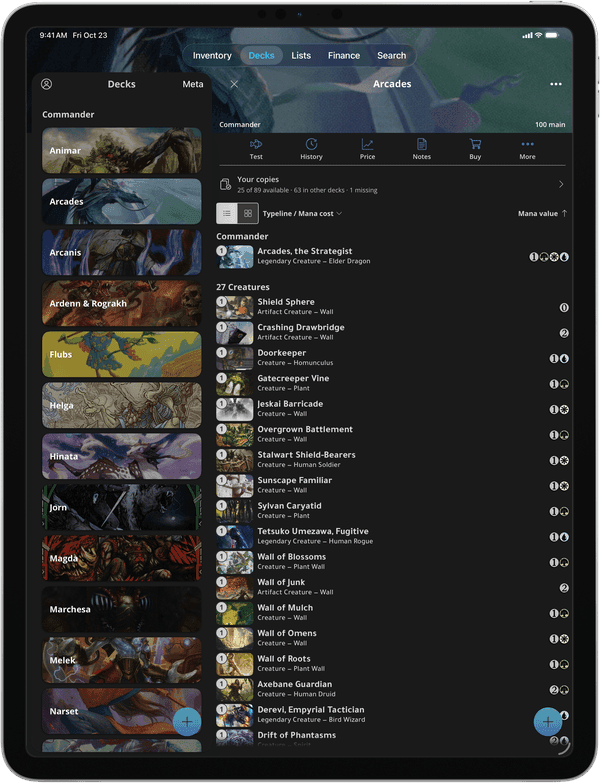
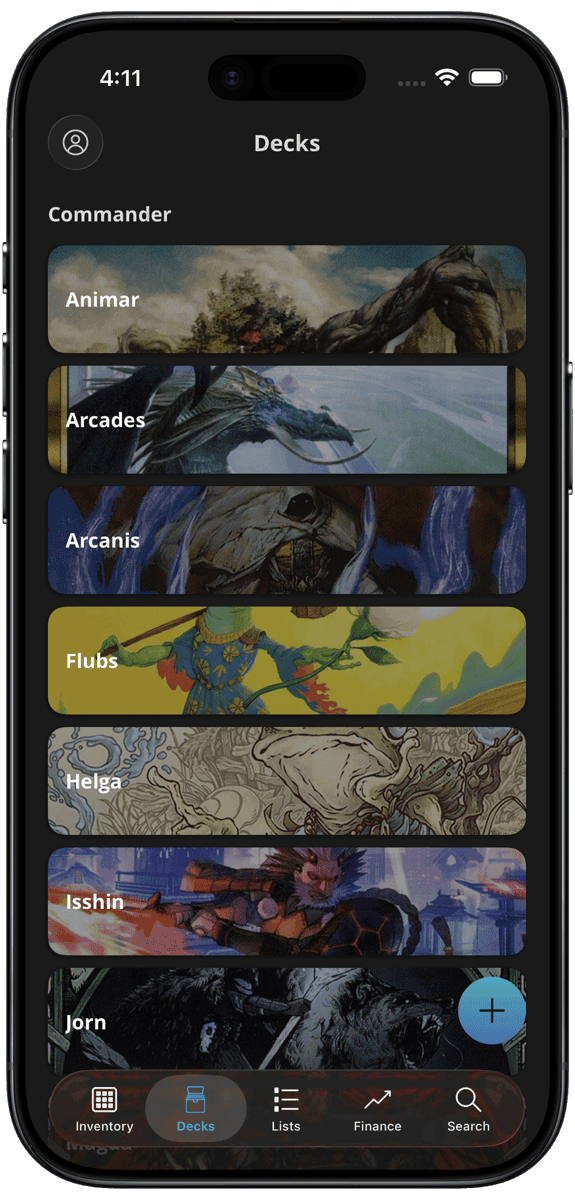
One collection on every screen
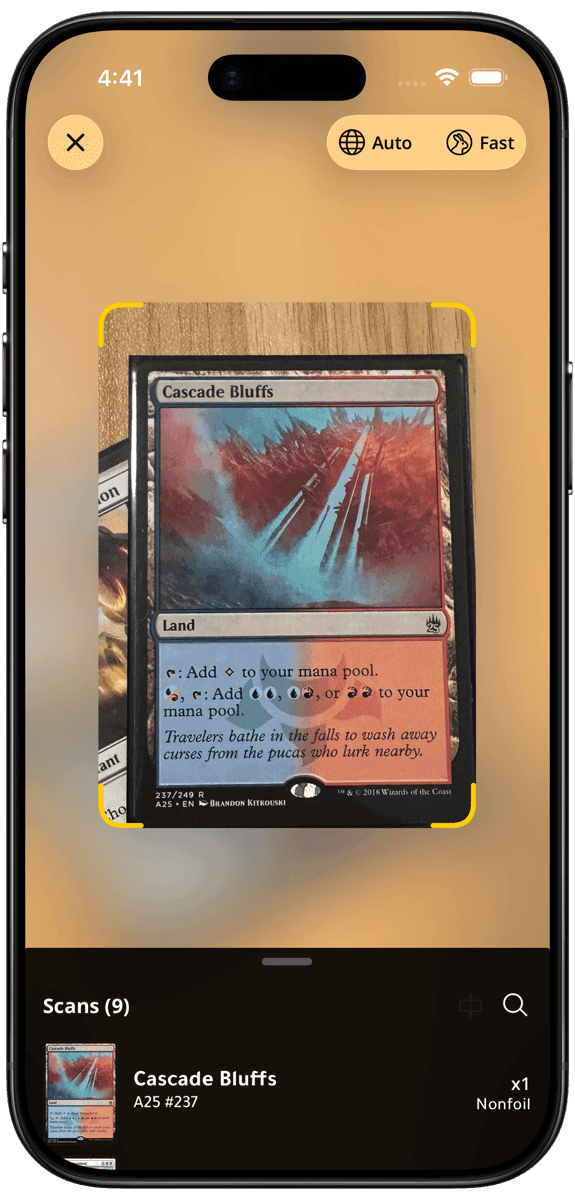
Scan on your phone
Add cards with your camera in the iOS and Android apps.
Build on your computer
Build decks and manage your collection on a big screen, in your browser or in the Windows app.
Synced for free
Your inventory, decks, and lists are the same on every device. No subscription needed.
Playtest your decks
Draw opening hands and play out your turns on a full tabletop, right in your browser. Free with a Cascade account.
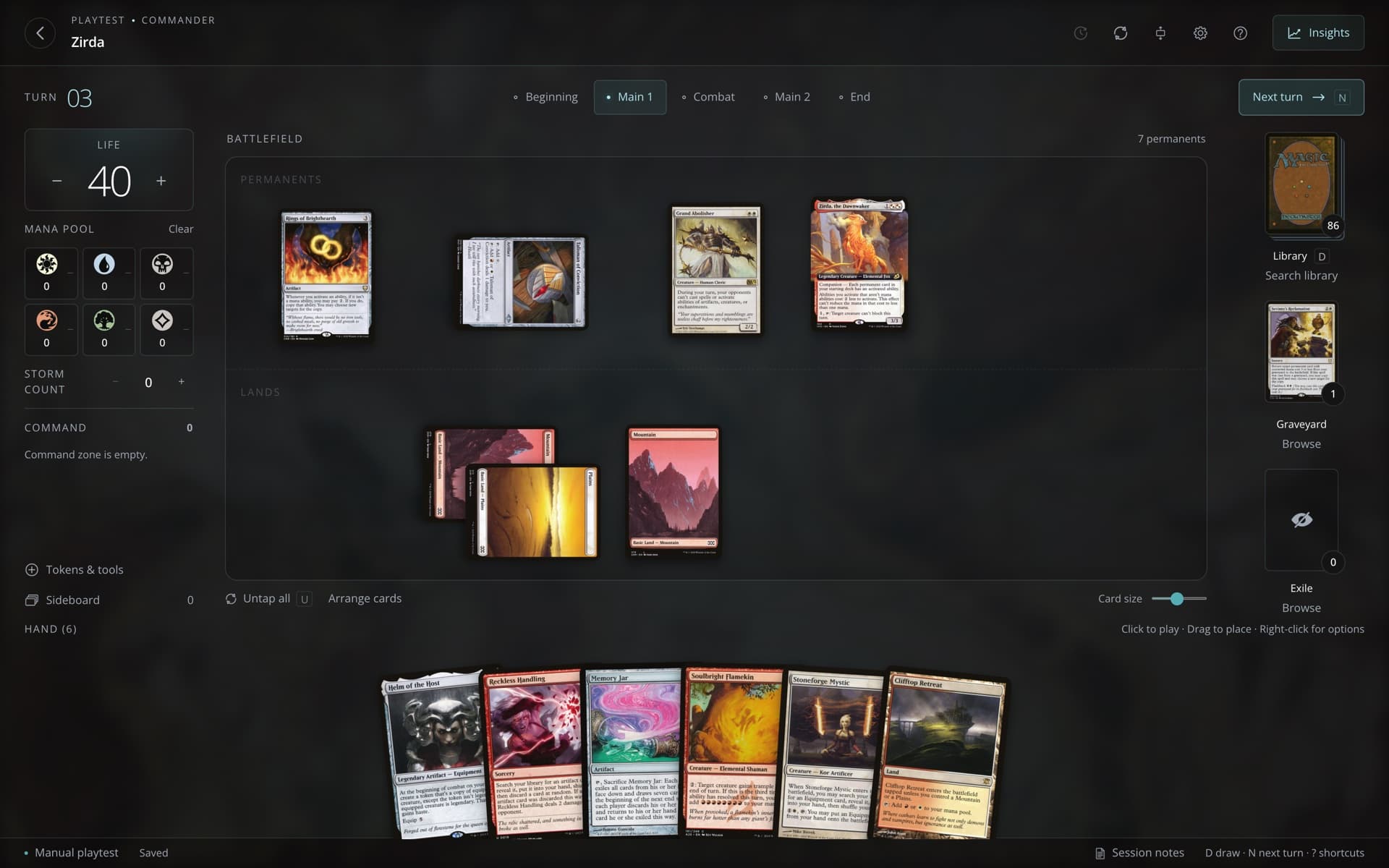
A full tabletop
Drag cards between your hand, the battlefield, the graveyard, and exile. Tap permanents, add counters, and create tokens.
Mulligans and trackers
Take London mulligans and track life, mana, poison, and commander tax as you play.
Saves as you play
Close the tab and come back later. Your game is right where you left it.
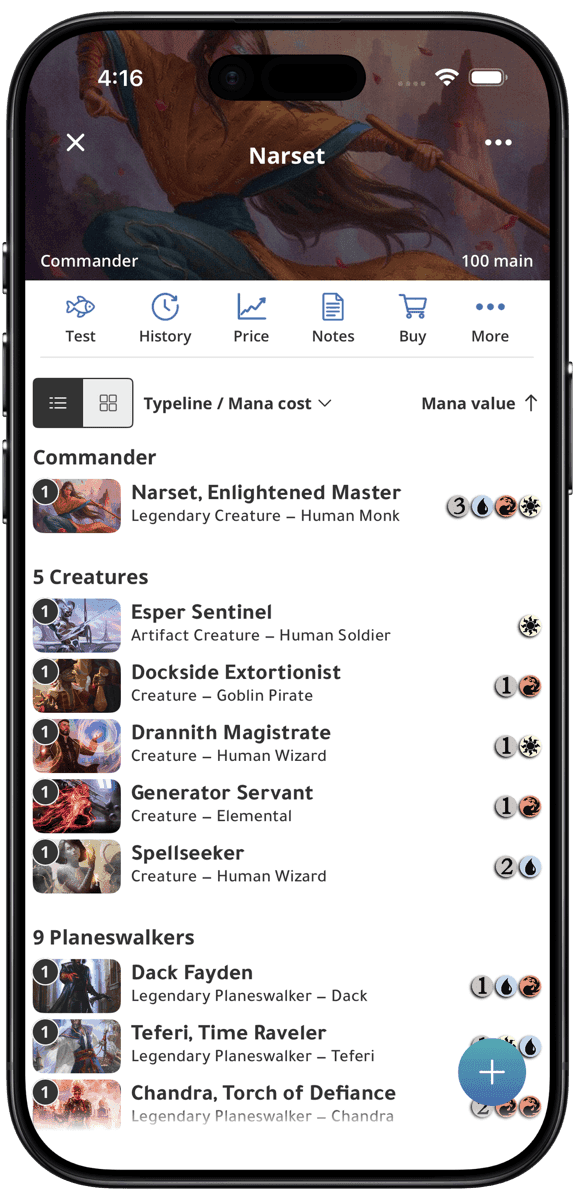
Built for iOS and Android
Take your collection on the go. The Cascade app puts your entire collection in your pocket, with features made for playing in person.
- Scan cards with your camera to add them in seconds
- Browse your full collection and prices from anywhere
- Build and edit decks on the go



Collection tracker
Scan and track your entire Magic card collection, and see its value with prices that update every day.

Deck building
Build and organize your decks by format. Playtest your decks, view stats, and add custom notes.

Price history
Track price trends for any card over time. View market and median prices with detailed historical charts.

Price tracking
Monitor daily price changes across the market. See top gainers and losers to stay ahead of trends.
See today’s price changes
Secret Lair drops
Browse and track Secret Lair drops. See card lists, prices, and availability for every drop.
Browse every Secret Lair drop
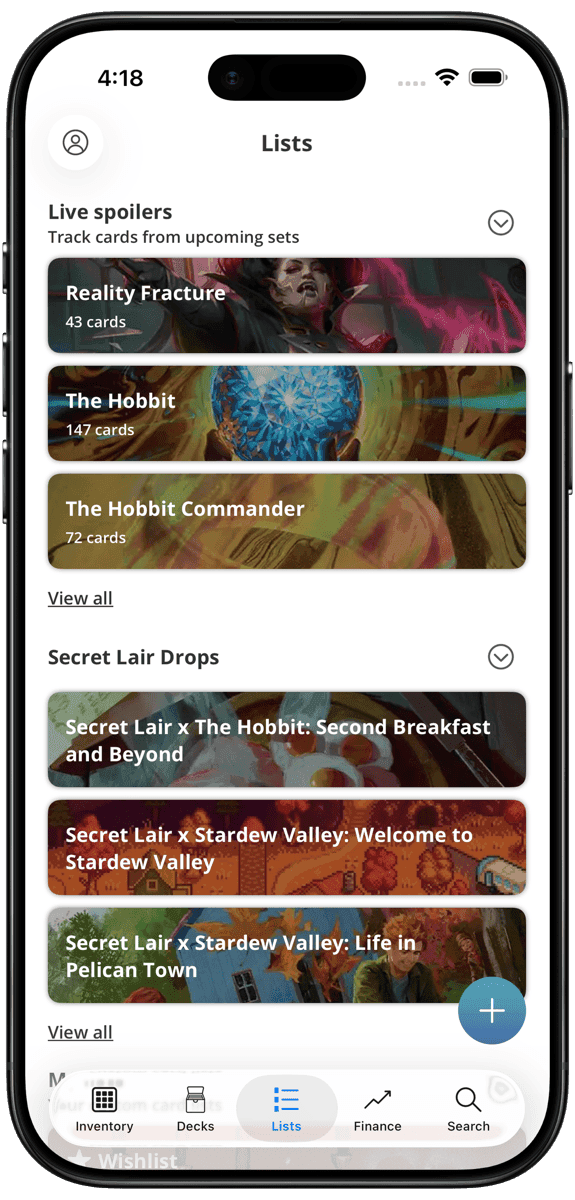
Card lists
Create custom lists to organize cards for trades, wants, or any other purpose. Share lists with friends.
Explore card listsFrequently asked questions
Is Cascade free?
Yes. Your collection, decks, card scanning, and sync between devices are free, with no limit on the number of cards. The free plan also includes 3 custom lists, 20 wishlist cards, and 3 watched card prices. Cascade Premium is optional and adds more, such as price history for your collection, decks, and lists, and unlimited lists and wishlist cards.
How much does Cascade Premium cost?
In the US, Premium costs $1.99 per month or $19.99 per year (as of October 2026). The App Store and Google Play show the price in your local currency.
Does Cascade have ads?
No. Cascade has no ads on the web, Windows, iOS, or Android. Cascade Premium, an optional subscription, pays for the app, and the TCGplayer buy buttons are affiliate links.
Can I scan my cards?
Yes. The Cascade apps for iOS and Android scan cards with your phone's camera and add them to your collection. Scanned cards show up on the web and in the Windows app too. The website and the Windows app do not scan cards.
Can I use Cascade in a web browser?
Yes. Cascade works in any web browser at cascademtg.com, on a computer, a tablet, or a phone, with nothing to install. The same account works in the Windows app and in the iOS and Android apps, and your collection, decks, and lists sync between them for free. Card scanning is only in the iOS and Android apps.
Does my collection sync between my phone and my computer?
Yes, and sync is free. Sign in with the same account, and your collection, decks, and lists are the same on the web, Windows, iOS, and Android.
Where do the card prices come from?
Cascade shows TCGplayer market and median prices. They are in US dollars. On the web, Cascade converts them to your currency with daily exchange rates, and you can choose another currency on your account page. Cascade saves prices once a day, so every card page shows how its price has changed over time.
Can I move my collection from another app?
Yes. On the web and in the apps, you can import a file or pasted text from ManaBox or Archidekt, a plain card list, or a Cascade CSV file. MTGGoldfish deck lists go into decks only. You can also export your collection, decks, and lists as text or CSV at any time.
Is Cascade available in Japanese?
Yes. The website, the Windows app, and the iOS and Android apps are available in English and Japanese. You can also track cards printed in Japanese and other languages.
Get started today
Create a free account, with no ads. Your collection, decks, and lists stay in sync on every device.